

Configuration
The proxy is configured via ~/.notdiamond/config.json (macOS/Linux) or %USERPROFILE%\.notdiamond\config.json (Windows).
Edit it with your favorite text editor, or use the CLI:
notdiamond config edit # opens config.json in your $EDITOR (validates on save)notdiamond config show # pretty-print the current config (API keys redacted)notdiamond config path # print the path to config.jsonCredential
Section titled “Credential”The credential block specifies your LLM provider and authentication. Set during notdiamond init; you can change it anytime by editing the config.
Anthropic API key
Section titled “Anthropic API key”{ "credential": { "type": "anthropic", "apiKey": "sk-ant-…" }}- type:
"anthropic" - apiKey: Your Anthropic API key (from console.anthropic.com)
Bedrock
Section titled “Bedrock”{ "credential": { "type": "bedrock", "apiKey": "AKIA…", "region": "us-west-2" }}- type:
"bedrock" - apiKey: Your AWS access key (set via
aws configure) - region: AWS region where Bedrock is available (e.g.,
us-east-1,us-west-2)
Forwarded credential
Section titled “Forwarded credential”{ "credential": { "type": "forwarded" }}- type:
"forwarded" - apiKey: not used (omit or set to
null) - region: not used (omit or set to
null) - gatewayUrl: optional upstream gateway URL. Omit or set to
nullto forward to Anthropic directly.
Forwarded mode relays Claude Code’s runtime credential upstream. Use it when engineers authenticate with claude /login, or when Claude Code is managed with an apiKeyHelper. The proxy does not store an API key; it forwards the inbound Authorization header from Claude Code for each request.
If your organization uses an internal LLM gateway, set gatewayUrl:
{ "credential": { "type": "forwarded", "gatewayUrl": "https://your-gateway" }}Shell alias
Section titled “Shell alias”Enable a shell alias so your team types claude instead of notdiamond claude. Go to Settings → Proxy in the dashboard and toggle Alias to notdiamond claude in the Customization section. Only owners and admins can change this setting.
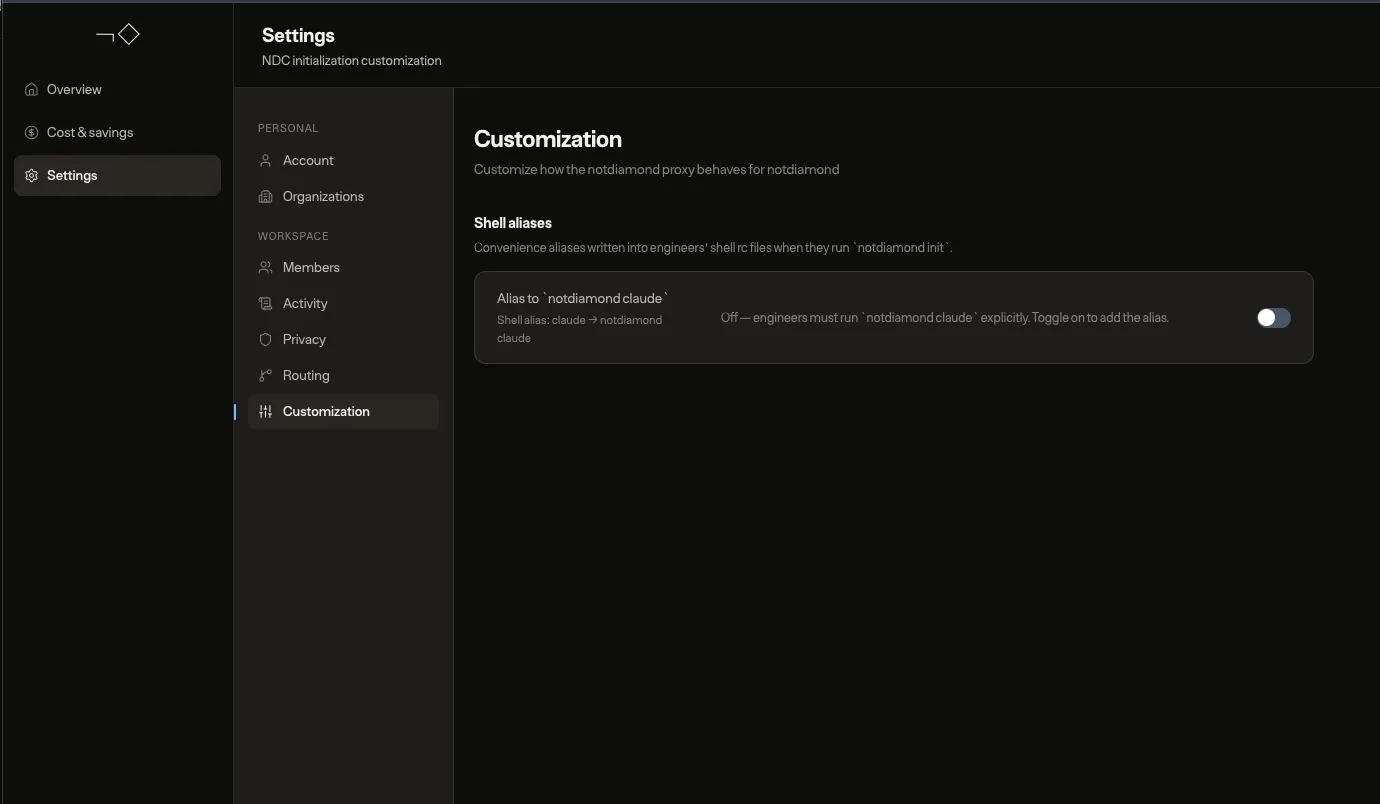
The alias takes effect the next time engineers run notdiamond init or notdiamond claude. The proxy writes a marked block to their shell run commands files (~/.zshrc, ~/.bashrc, ~/.bash_profile):
# >>> notdiamond customizations >>>alias claude='notdiamond claude'# <<< notdiamond customizations <<<Caveats
Section titled “Caveats”- Shell restart required. Engineers need to run
source ~/.zshrcor open a new terminal for the alias to take effect. The proxy prints a hint when the alias is first added. - Policy fetch failures are silent. If the dashboard is unreachable or the token is expired, reconciliation is skipped without output.
notdiamond resetremoves it. Disabling the alias or running reset will remove the marker block from all rc files.- Zsh and bash only. Fish and other shells are not supported.